Credentialing and onboarding are easier for everyone.
Mach 1 runs a live compliance check at every credential-sensitive action, so lapses get caught before they block a shift, not after.
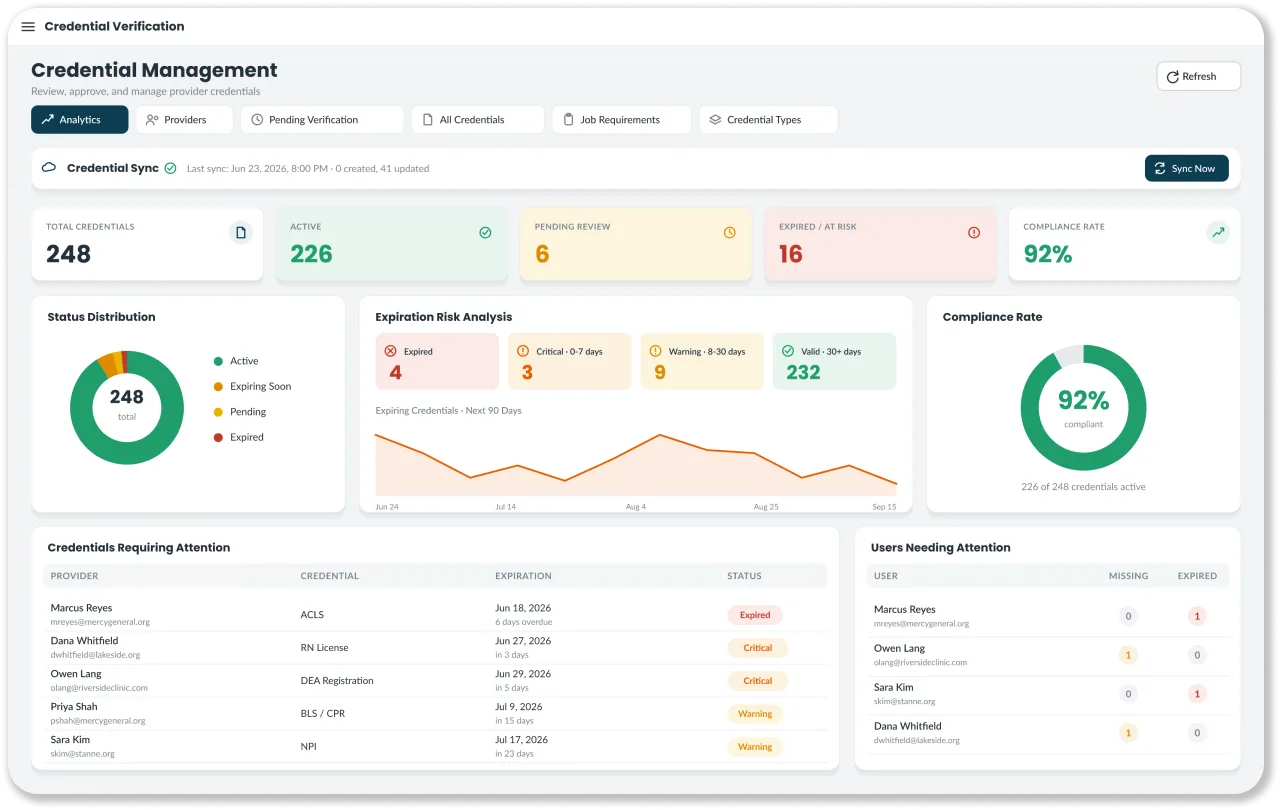
How does Mach 1 stop a worker with a lapsed credential from being scheduled?
Workforce & Compliance (Credential Hub) checks a worker's credentials every time they are assigned, offered, or swapped onto a shift, against the date of that shift. A compliant worker passes silently, a credential expiring within 30 days raises a warning, and an expired, missing, or unverified credential blocks the assignment, so lapses are caught before the shift.
- 01Scheduling & Shift ManagementFill every shift without the coordination chaos.
- 02Workforce & ComplianceLive credential enforcement at every action.
- 03Time, Rates & BillingEvery hour captured. One clean billing artifact.
- 04Analytics & Revenue IntelligenceReal-time margin, fill rate, and leakage.
- 05SyncPaper timesheets in. Clean data out.
A credential lapse you catch next month is a shift you lost today.
Most platforms audit compliance once a month and call it handled. By then the expired license already blocked a placement, the manual verification already bottlenecked your ops team, and the gap already became a liability across clients and jurisdictions. Compliance that runs after the fact is not compliance. It is paperwork.
Three states. Fired at every credential-sensitive action.
This is not a monthly audit. It is a live enforcement layer that fires on shift requests, swaps, and counter-proposals, on both the worker and supervisor side.
Compliant
Action proceeds with no friction. The worker is cleared and never sees a thing.
Expiring soon
Worker is told which credential expires when, given a link to manage it, and allowed to proceed.
Expired or missing
Action button disabled with diagnostic detail about exactly what is missing.
Compliance depth that matches the real requirements.
Built to match your worker hierarchy, your credential taxonomy, and your per-site job requirements, not a generic template.
Book a Demo- 01Worker Hierarchy and Credential Taxonomy built to your requirements
- 02Per Site x Job requirements so the right checks fire for the right roles
- 03Pending Verification Queue with average days in queue and a Sync Now action
- 04Exemptions to manage edge cases without breaking enforcement
- 05Renewal reminders sent to workers ahead of expiration, with expiration risk visible to ops
Six views. One question each week: who do you chase first?
worker pool breakdown across compliant, expiring, expired, and missing
which credential types are dragging the pool down
which jobs have the deepest gaps relative to requirements
a ranked list, most-expired first, your chase list for the week
average days in queue and credentials waiting for review
uploads, approvals, rejections, and expirations on a 7/30/90-day toggle
Workers manage their own credentials. Ops stops chasing paper.
Workers upload and manage their own compliance documents in the platform.
Expiration alerts go to the worker, not just the ops manager.
Less admin burden without lowering the compliance bar.
Every capability connects to the next.
Workforce & Compliance: common questions.
What credentials can Mach 1 track?
Credential types are configurable and start from a catalog that covers professional licenses, including compact nursing licenses, certifications such as BLS and ACLS, vaccinations, TB and drug screens, background checks, identity documents, liability insurance, skills checklists, and references. Each job lists the credentials it requires, so the right checks fire for the right roles.
How do workers find out a credential is about to expire?
Each credential type has a renewal reminder lead time, and the worker gets a push notification before it lapses. Ops sees expiration risk across the whole pool in compliance analytics. Workers upload renewals from the web or mobile app, and each upload is reviewed, then approved or rejected with a reason.
Can credentials stay in sync with Bullhorn?
Yes. Candidate certifications and their files sync both ways between Bullhorn and Mach 1, and certification types and job requirements import from Bullhorn. That gives you one credential record across both systems, enforced at assignment, with no re-keying.